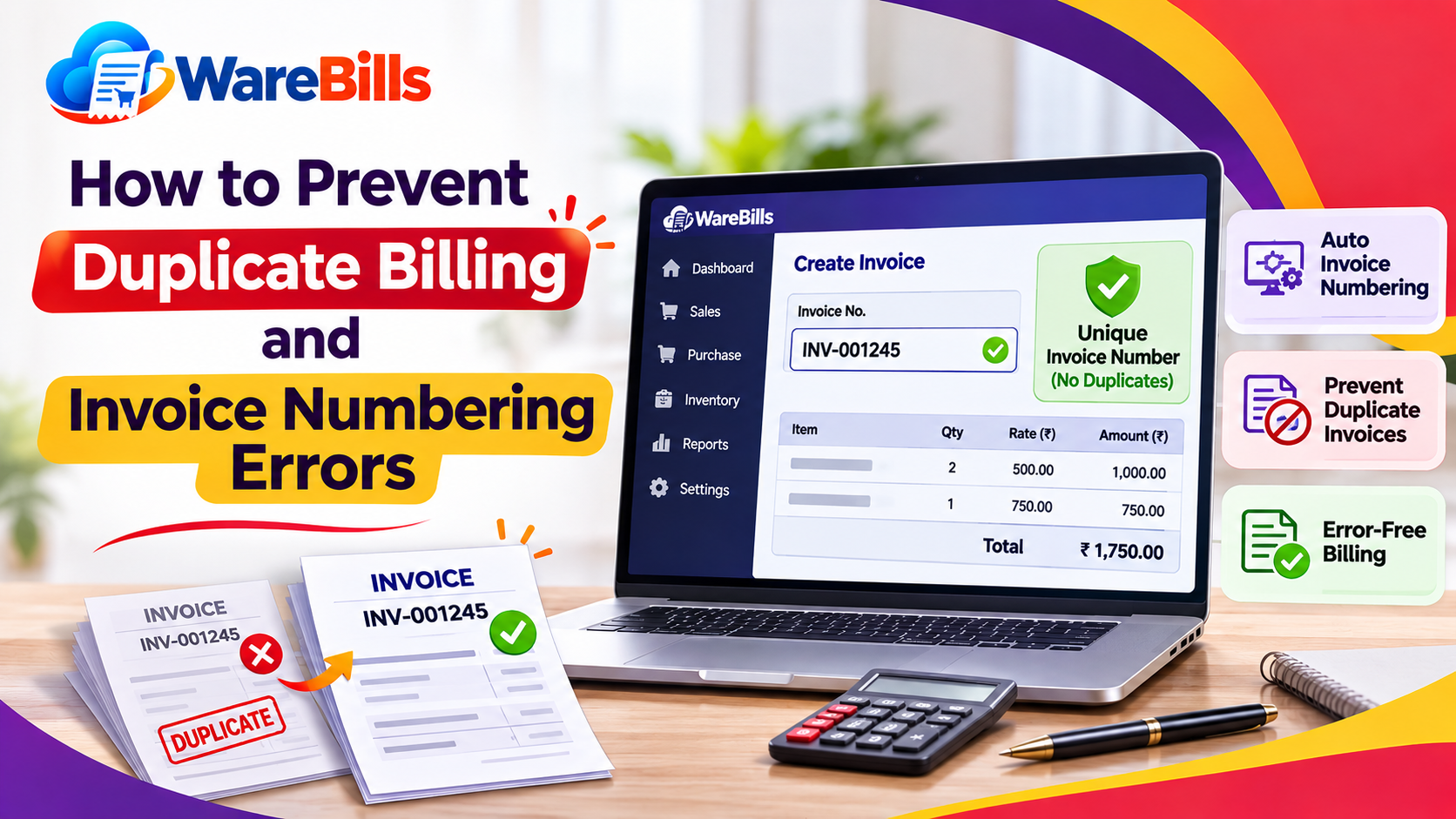
However, duplicate invoices and incorrect invoice numbers can create confusion. A customer may receive the same bill twice, sales totals may become inaccurate, or employees may struggle to identify the correct transaction when processing a return.
These problems often occur when businesses create invoices manually, use multiple billing systems or fail to follow a consistent billing process.
In this guide, we will explain the common causes of duplicate billing, how invoice numbering works and practical ways to prevent billing errors.
What Is Duplicate Billing?
Duplicate billing occurs when the same sale or transaction is recorded or invoiced more than once unintentionally.
For example, a retail employee creates an invoice for ₹2,500. The system appears slow, so the employee clicks the Save button again and accidentally creates a second invoice for the same sale.
If both invoices remain active, the business may record the sale twice or ask the customer to pay twice.
Duplicate billing can occur because of:
- Repeated clicks on the Save or Submit button
- Network delays during invoice creation
- Employees entering the same transaction manually
- Duplicate imports from spreadsheets
- Repeated invoice generation from the same order
- Poor coordination between branches or billing terminals
A duplicate invoice record is not always proof of fraud. It may be an operational mistake that requires verification and correction.
What Are Invoice Numbering Errors?
Invoice numbering errors occur when invoice references are missing, duplicated, incorrectly assigned or inconsistent with the business's established numbering process.
Common examples include:
- Two invoices having the same number
- An invoice number being entered incorrectly
- Number sequences being reset unexpectedly
- Invoices being saved with missing references
- Employees creating invoices outside the normal process
- Confusion between draft, cancelled and final invoice numbers
For businesses issuing GST tax invoices in India, invoice numbering must comply with applicable GST requirements, including the relevant rules on consecutive serial numbers and permitted formats.
Businesses should establish a numbering process that suits their billing system and applicable legal requirements rather than relying on informal manual numbering.
Why Duplicate Billing and Numbering Errors Matter
1. Incorrect Sales Reports
If the same sale is counted twice, daily or monthly sales reports may show inflated figures. This makes it harder to measure actual business performance.
2. Customer Payment Disputes
Customers may question why they received two invoices for the same purchase. If duplicate bills are not identified quickly, the business may face unnecessary complaints or refund requests.
3. Accounting Reconciliation Problems
Duplicate entries can create differences between billing records, payment receipts, bank statements and accounting reports.
4. Inventory Discrepancies
If duplicate invoices trigger stock deductions twice, the system may show less stock than the business actually has.
5. Tax and Compliance Risks
Incorrect invoice records can complicate GST reporting, invoice reconciliation and audit preparation. Businesses should follow applicable tax requirements and correct errors using the appropriate documented process.
How to Prevent Duplicate Billing
Step 1: Use a Consistent Invoice Numbering System
Every final invoice should have a unique reference within the relevant numbering series.
A business may use a simple sequential format such as:
- INV-0001
- INV-0002
- INV-0003
- INV-0004
These are illustrative examples only. The actual format should comply with the business's requirements and applicable regulations.
For businesses with multiple branches, define how invoice numbers are assigned across locations. If separate series are used, ensure the numbering arrangement is appropriate for the relevant invoice type and GST requirements.
Step 2: Avoid Repeatedly Clicking Save
One common cause of duplicate billing is clicking the Save or Submit button multiple times when the system responds slowly.
Employees should:
- Click Save or Submit once.
- Wait for the system to respond.
- Check whether the invoice was created.
- Search for the transaction before trying again.
Where possible, the billing application should prevent repeated submissions while a transaction is processing.
Step 3: Check Existing Transactions Before Creating a New Invoice
Before creating another invoice for an order, verify whether a bill already exists.
Useful reference fields include:
- Sales order number
- Customer name
- Transaction date
- Product details
- Invoice amount
- Existing invoice number
Matching these details can help employees identify possible duplicates. However, similar amounts or customer names alone do not prove that two invoices are duplicates.
Step 4: Maintain Clear Draft and Final Invoice Statuses
Draft invoices should be distinguishable from completed invoices.
Employees should know when a document is only a draft, when it has become a final invoice and how cancellations or corrections must be handled.
This reduces confusion when a transaction is saved, edited or processed more than once.
Step 5: Restrict Manual Number Changes
If employees can change invoice numbers freely, they may accidentally reuse a number or break the intended sequence.
Where the software permits it, restrict manual numbering changes to authorised users and maintain a record of relevant corrections.
Step 6: Test Billing Under Slow Network Conditions
Network delays can make employees unsure whether an invoice was saved.
Test what happens when:
- The Save button is clicked repeatedly.
- The network becomes slow during submission.
- The browser refreshes after a transaction is submitted.
- A user opens the same transaction in two tabs.
- Two employees try to process the same order.
These tests help identify situations in which duplicate invoices might be created.
Example: How Duplicate Billing Happens
Suppose a customer purchases products worth ₹3,000.
The cashier clicks Save, but the screen takes several seconds to respond. Assuming nothing happened, the cashier clicks Save again.
If the system creates two invoices, the records may look like this:
The business should investigate whether both invoices relate to the same sale before taking corrective action.
If the second invoice is confirmed as a duplicate, it should be handled using the appropriate cancellation or correction process. The business should also check whether stock, payments and accounting entries were affected.
The goal is to preserve an accurate transaction history rather than simply deleting a record without documentation.
How to Detect Duplicate Invoices
Prevention is important, but businesses should also review their records regularly.
1. Search for Repeated Transaction References
Check whether the same sales order, receipt or transaction reference appears against multiple invoices.
2. Compare Invoice Details
Review customer information, products, quantities, dates and amounts to identify transactions that may represent the same sale.
3. Review Unusual Invoice Sequences
Investigate repeated numbers, unexpected gaps or sudden numbering changes. A gap alone does not prove an error because drafts, cancellations or other legitimate processes may affect a sequence.
4. Reconcile Sales and Payments
Compare invoice records with actual receipts, payment gateway transactions and bank records where relevant.
5. Check Inventory Movements
If an invoice affects stock, confirm that the corresponding stock movement occurred only as intended.
Regular checks can identify errors before they affect monthly reports or customer balances.
What Should You Do If a Duplicate Invoice Is Found?
Do not immediately delete or alter the record without understanding its effect.
Follow a controlled correction process:
- Confirm that both records relate to the same transaction.
- Check whether either invoice has been paid or reported.
- Review stock deductions, customer balances and accounting entries.
- Follow the appropriate cancellation, credit note or correction procedure.
- Retain supporting documentation and the transaction history.
- Review how the duplicate was created and prevent recurrence.
For GST-related invoices, follow the applicable rules for cancellation, amendments, credit notes and reporting. Consult a qualified accountant or tax professional if the correct treatment is unclear.
How Billing Software Can Help Prevent Invoice Errors
Suitable billing software may help reduce duplicate transactions and numbering mistakes through controls such as:
- Automatic invoice number assignment
- Unique transaction references
- Duplicate submission prevention
- Clear draft, completed and cancelled statuses
- User permissions
- Transaction history and audit logs
- Searchable invoice records
- Sales and inventory reconciliation reports
The exact features vary by product. When evaluating WareBills, confirm whether its available billing workflow supports the controls your business needs.
Businesses should test the actual behaviour of the software, especially when users click Save repeatedly, experience network interruptions or work across multiple billing terminals.
Billing Best Practices for Small Businesses
Use these habits to maintain more reliable invoice records:
- Follow one documented invoice creation process.
- Use the correct invoice series for each applicable transaction type.
- Avoid creating a second invoice before checking the first.
- Train employees to handle slow responses safely.
- Review duplicate transaction reports regularly, where available.
- Restrict invoice-number changes to authorised users.
- Reconcile sales, payments and stock movements.
- Keep a documented history of invoice corrections.
- Review billing errors periodically and address their root causes.
Even a small shop can benefit from these controls. A consistent process reduces avoidable errors as transaction volumes increase.
Conclusion
Duplicate billing and invoice numbering errors can affect sales reports, inventory records, customer payments and accounting accuracy. Many of these problems can be reduced through consistent invoice numbering, careful transaction verification and safeguards against repeated submissions.
Businesses should also review invoice records regularly and correct confirmed duplicates through a documented process. For GST tax invoices in India, the numbering and correction process must follow applicable requirements.
By combining clear staff procedures with suitable billing software controls, retailers and wholesalers can maintain more accurate invoices and improve confidence in their business records.